
DAVE'S FAKE and incomplete Training guides
All Employees
Employee Self Service
- Go to: https://selfservice.ascentis.com/MoravianUniversity
- Type in Net ID username and password (This is the username and password you use to log into the computer. Your network ID is either your 'me' account or your last name first initial)
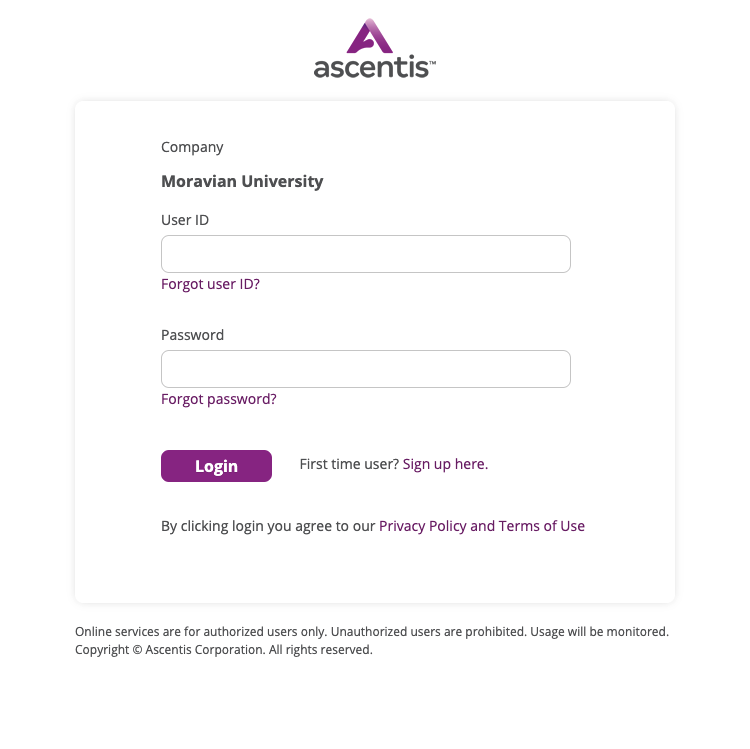
- After entering your NetID and password click on the Login button.
How to view and download your paystub(s)
- Go to: https://selfservice.ascentis.com/MoravianUniversity
- Type in Net ID username and password (This is the username and password you use to log into the computer. Your network ID is either your 'me' account or your last name first initial)
- After entering your NetID and password click on the Login button.
How to edit your tax allowances
- Go to: https://selfservice.ascentis.com/MoravianUniversity
- Type in Net ID username and password (This is the username and password you use to log into the computer. Your network ID is either your 'me' account or your last name first initial)
- After entering your NetID and password click on the Login button.
How to edit an Emergency Contact
- Go to: https://selfservice.ascentis.com/MoravianUniversity
- Type in Net ID username and password (This is the username and password you use to log into the computer. Your network ID is either your 'me' account or your last name first initial)
- After entering your NetID and password click on the Login button.
How to change Personal Information
- Go to: https://selfservice.ascentis.com/MoravianUniversity
- Type in Net ID username and password (This is the username and password you use to log into the computer. Your network ID is either your 'me' account or your last name first initial)
- After entering your NetID and password click on the Login button.
How to upload your COVID vaccine information and vaccination status
- Go to: https://selfservice.ascentis.com/MoravianUniversity
- Type in Net ID username and password (This is the username and password you use to log into the computer. Your network ID is either your 'me' account or your last name first initial)
- After entering your NetID and password click on the Login button.